Main Menu
Menu

Show posts

This section allows you to view all posts made by this member. Note that you can only see posts made in areas you currently have access to.

Show posts Menu

Messages - fetviewer

#1
No problem, we will soon support both email address and usernames for the logins. It will help future cases.
Thanks for your time to provide the feedback.
Best
#2
Dear Rabs,

Thank you for your detailed feedback.

I have investigated the issue on my side but have not been able to reproduce the reported behavior. I tested the complete password reset process, including requesting a password reset, logging in using the one-time link, setting a new password on the profile page, logging out, and signing in again with the newly created password. In my tests, the new password was saved successfully and the normal login worked as expected.

Based on these results, the system does not appear to have a general issue with saving updated passwords.

If you are still experiencing this problem, could you please let me know:

  • Which web browser you are using.
  • Whether you are using the password manager or manually entering the new password.

Please notice that when you copy a text from notepad etc. for passwords, a blank character might have been suffxied to your password. Also pay attention to you keyboard language which may switch between apps in your operating system in case you are using special characters in your password, there is a high chance that it will trick you.

Best
#3
Dear Rabs,

Once you logged in via one time link, it automatically directs you to your profile page and then you can update your password & save your account.

I hope it helps and clear now.

Best
#4
Quote from: Liviu Lalescu on August 04, 2026, 05:50:10 PMThank you!

Correction: if you want to import activities from CSV, you need to import firstly the students sets; page 4 point 4. is wrong.

I'll report here the other problems I might find, as I read your document.

Another mistake: teachers max gaps constraint can only be 100% (page 13 near the top).

Another mistake, page 15: from FET you can view timetables: teachers, students, rooms, days horizontal, days vertical, and time horizontal. Also, you can print from FET.
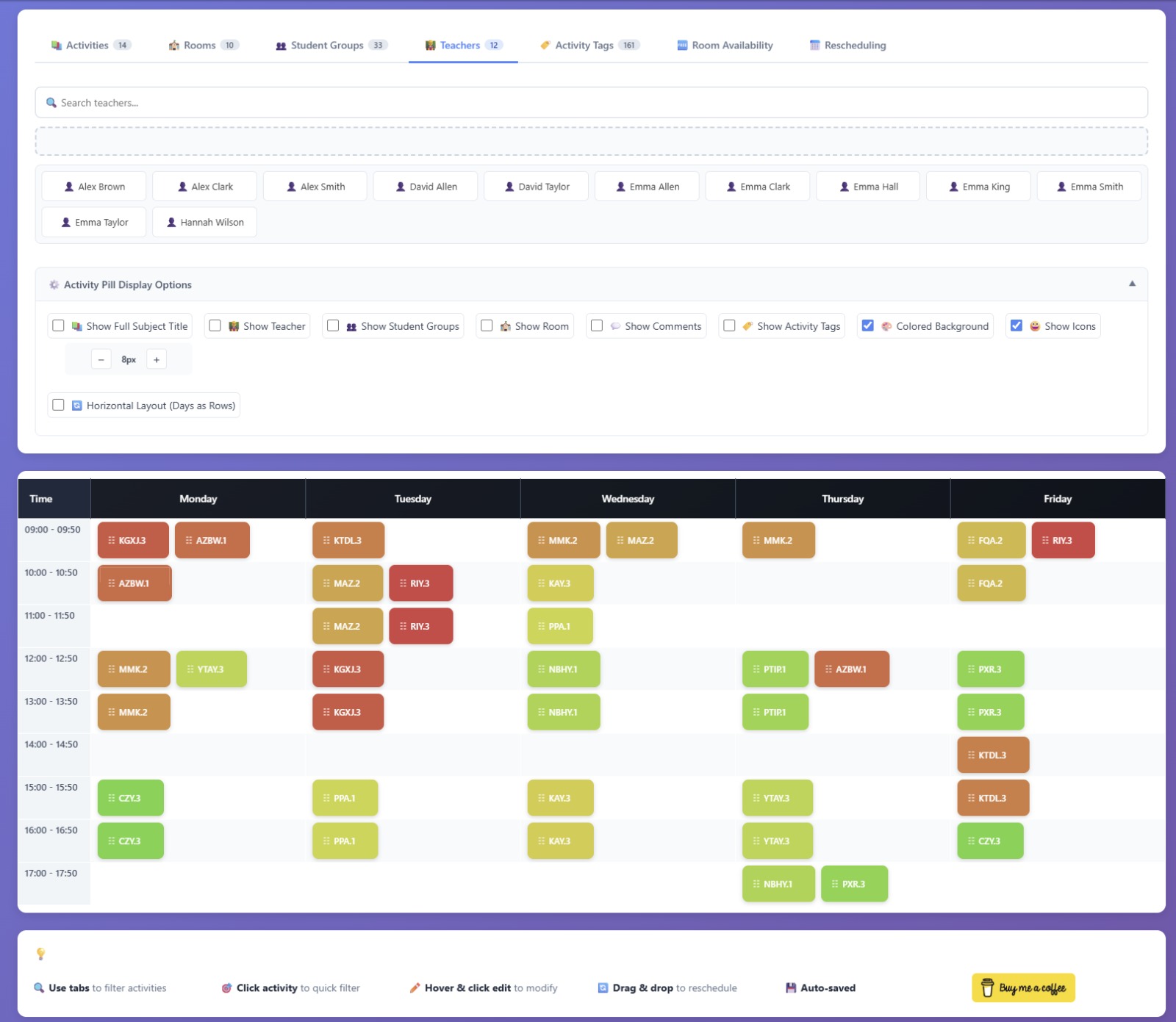

If i understood correctly, the mentioned issues has been updated accordingly. The pdf file has been updated. Thanks agaian Dear Liviu for your time.
#5
Dear Rabs,

Thank you for your feedback.

According to the system logs, I can see that you were able to log in successfully approximately 1.5 hours ago.

Could you please let me know if you are still experiencing any difficulties with resetting your password or accessing the system? If so, I'll be happy to assist you further.

Best
#6
Excellent. I will fix them and update the pdf. Thank you Dear Liviu.
#7
Sure.
It will be permanent from now on. No changes will be in the link. You can use it.
Best
#8
Please feel free to download & modify and upload wherever you want.
Best
#9
Hello everyone,

While working extensively with FET over the past few years, I realized that many users—especially beginners—often struggle to find practical explanations for the large number of constraints and configuration options available in the software.

To help the community, I've started creating a comprehensive FET User Guide on fetviewer.com.

This guide was AI-assisted during its creation, but every section has been reviewed, corrected, and refined based on real FET usage and experience. The goal is not to replace the official documentation, but to provide an additional learning resource with simpler explanations, examples, and practical guidance.

The guide currently covers topics such as:

  • Getting started with FET
  • Basic data setup
  • Teachers, students, subjects, and activities
  • Constraints and scheduling concepts
  • Common mistakes and troubleshooting
  • Tips for building better timetables
  • Frequently asked questions

As the guide grows, I plan to continue improving it and adding more examples based on community feedback.

You can find it here:

FET User Guide for Beginners

I'd really appreciate any feedback, suggestions, or corrections from experienced FET users. If you notice anything inaccurate or think a topic deserves more explanation, please let me know.

Many thanks to Liviu Lalescu, Volker Dirr, and everyone who has contributed to making FET such an outstanding free timetabling system. The official manual and forum remain invaluable resources, and this guide is intended to complement—not replace—them.

I hope this helps both new and experienced FET users.

Best
#10
Get Help / Re: View timetables online
July 30, 2026, 12:25:28 PM
Hi Cyrus,

If you upload & import the activities csv file to fetviewer.com , there is a built in option to print & view teachers, students, rooms timetables. Even existing filter tabs could be used to print multiple teachers or student groups timetables to find available slots for any kind of events & meetings. (In case it may help for printing purposes.) New full fet file support is also coming soon.


You can see a interactive demo here as well.

And this is a short video about the fetviewer.com


Best

#11
Dear Volker ,

Thanks for your time. It is appreciated.

#12
Hi Alami mohammed,

I am not fully sure if it helps your case but as a temporary solution, if you upload & import the activities csv file to fetviewer.com , there is a built in option to print & view teachers, students, rooms timetables. Even existing filter tabs could be used to print multiple teachers or student groups timetables to find available slots for any kind of events & meetings. (In case it may help for printing purposes.) New full fet file support is also coming soon.


You can see a interactive demo here as well.

And this is a short video about the fetviewer.com


Good luck with your case and thanks to Liviu and Volker for this amazing tool.
Best

#13
FET Viewer / Re: Error fatal php
March 23, 2026, 11:55:06 AM
Dear Liviu,

Thanks for your feedback. The problems are solved. There will be soon a major upgrades and announcements as well.


Regards

#14
FET - edit + print / Re: FET - edit + print
October 31, 2025, 07:23:32 PM
Hi Christos, 👋

Your workflow sounds like a great match for FET Timetable Explorer — it's designed for exactly those post-generation, manual tweaks you mentioned (quick drag-and-drop, room or day swaps, conflict checks, etc.).

Useful links:
• Demo: https://fetviewer.com/demo
• Website: https://fetviewer.com/
• YouTube: https://www.youtube.com/@fetviewercom
• Forum section: https://lalescu.ro/liviu/fet/forum/index.php?board=46.0

I am just sharing this in case you may miss the latest tools updates section.

Also, big salute to the great work behind the FET – Edit + Print Tool — it's been very useful for many users!

Happy scheduling! 🙌
#15
Quote from: abuayham2016 on October 25, 2025, 04:21:21 PMWhen we create a school schedule using the FET program, we enter the data for teachers and groups, arranged according to subjects and grade levels. My goal in arranging this is to maintain the same original order in the FET program and the FET outputs.

Just to clarify — is this mainly for printing purposes? 🖨�
And does your exported CSV file from FET already keep the same order you'd like to preserve?

Just trying to understand the goal better 😊